


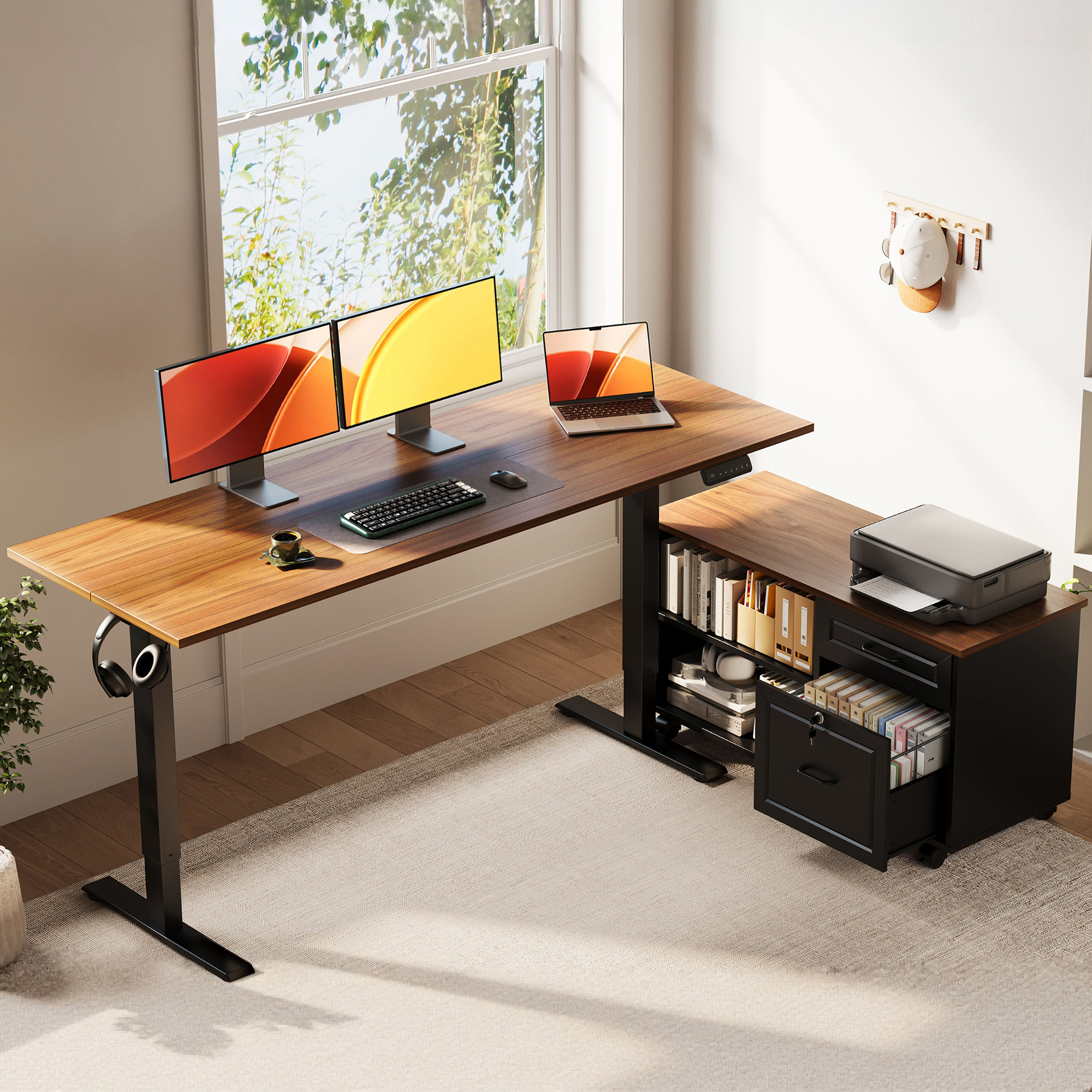
OffiGo 55 inch L-Shaped Height Adjustable Standing Desk with Large Movable Storage Cabinet for Office Workstations
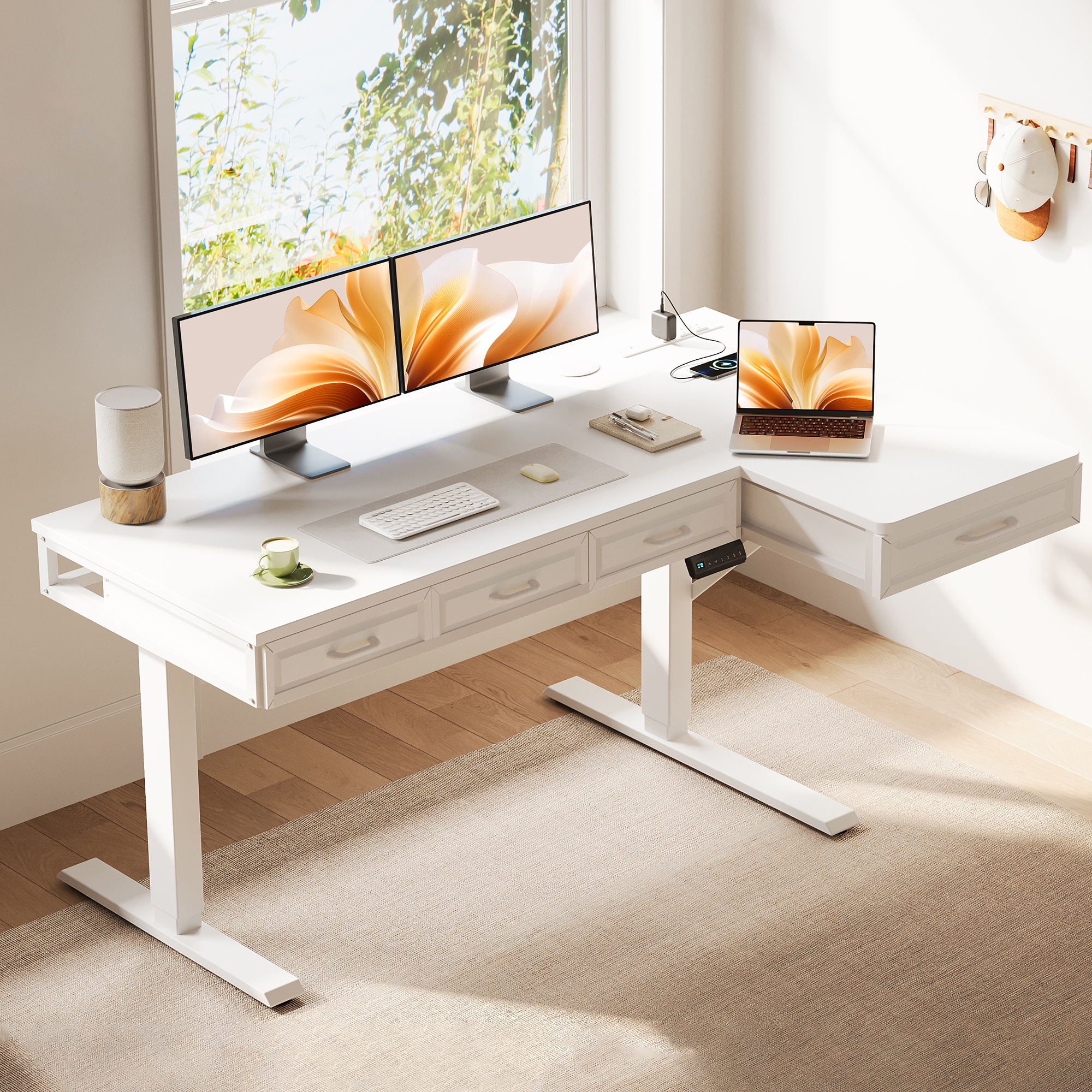
OffiGo 55 inch L-Shaped Electric Standing Desk with Wooden Drawers and Power Outlets
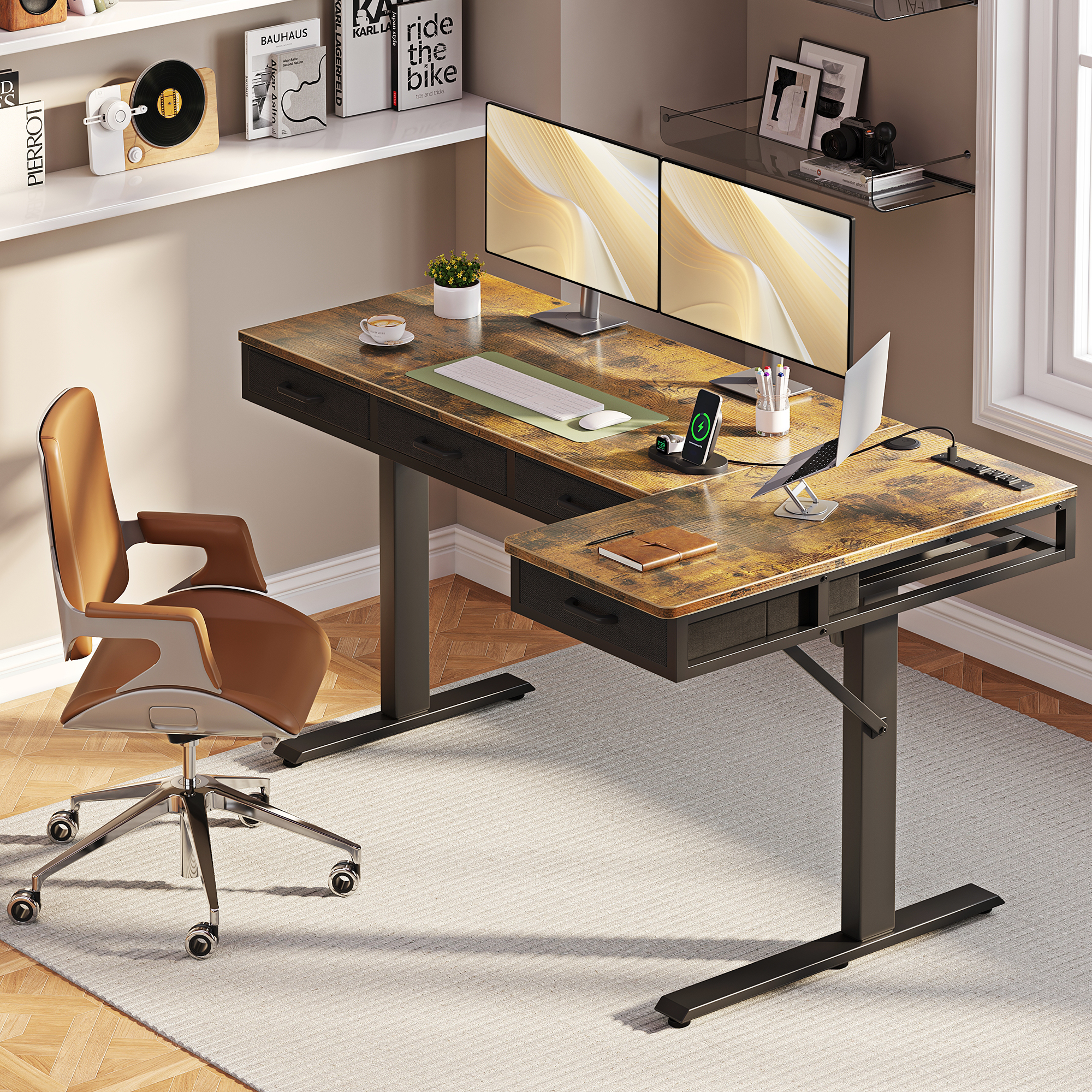
OffiGo 63 inch L-Shaped Electric Standing Desk with Fabric Drawers and Built-in Power Outlets
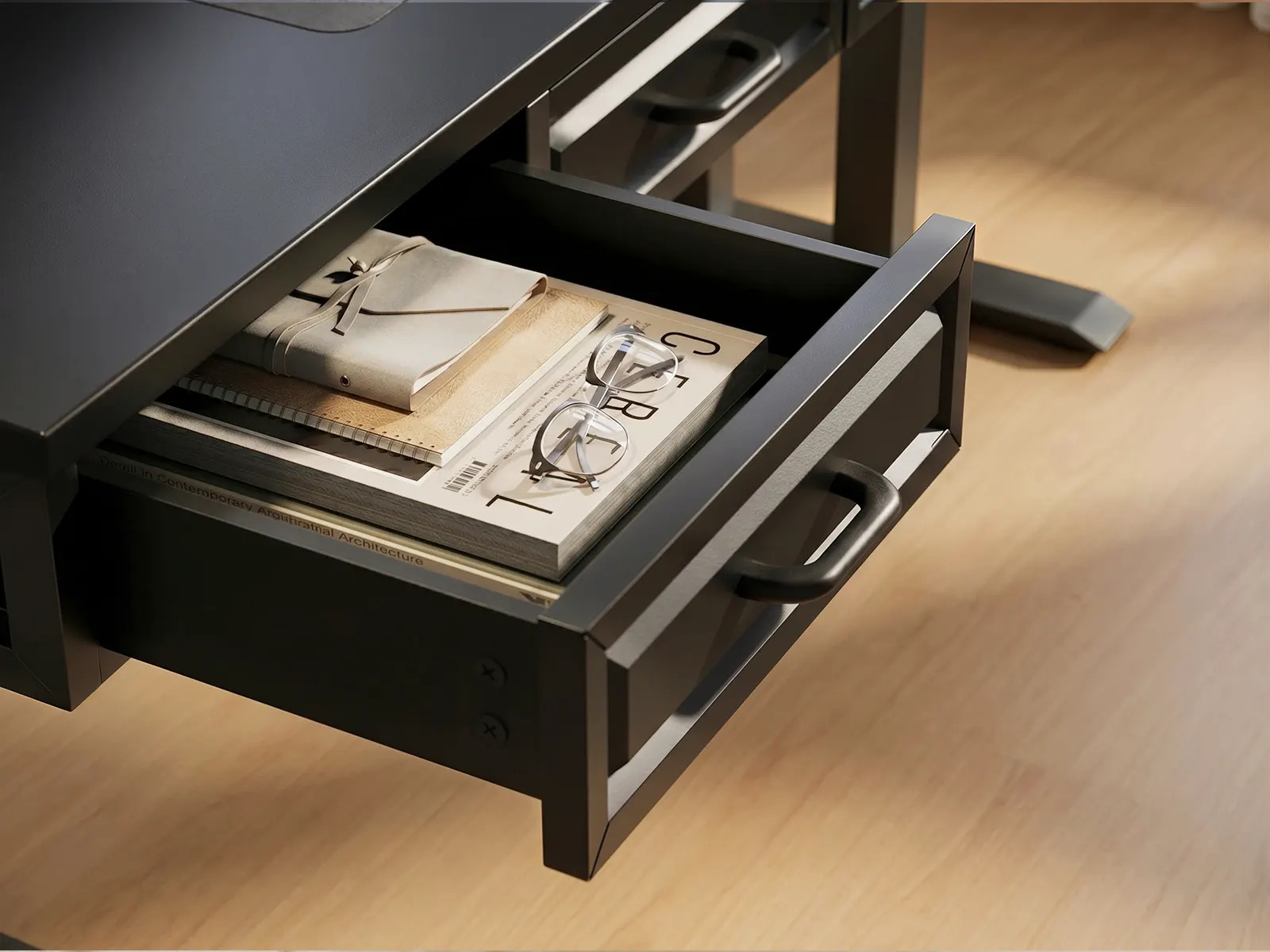
Built-in desk drawer provides convenient storage for office essentials, keeping documents, accessories, and daily work items within easy reach.
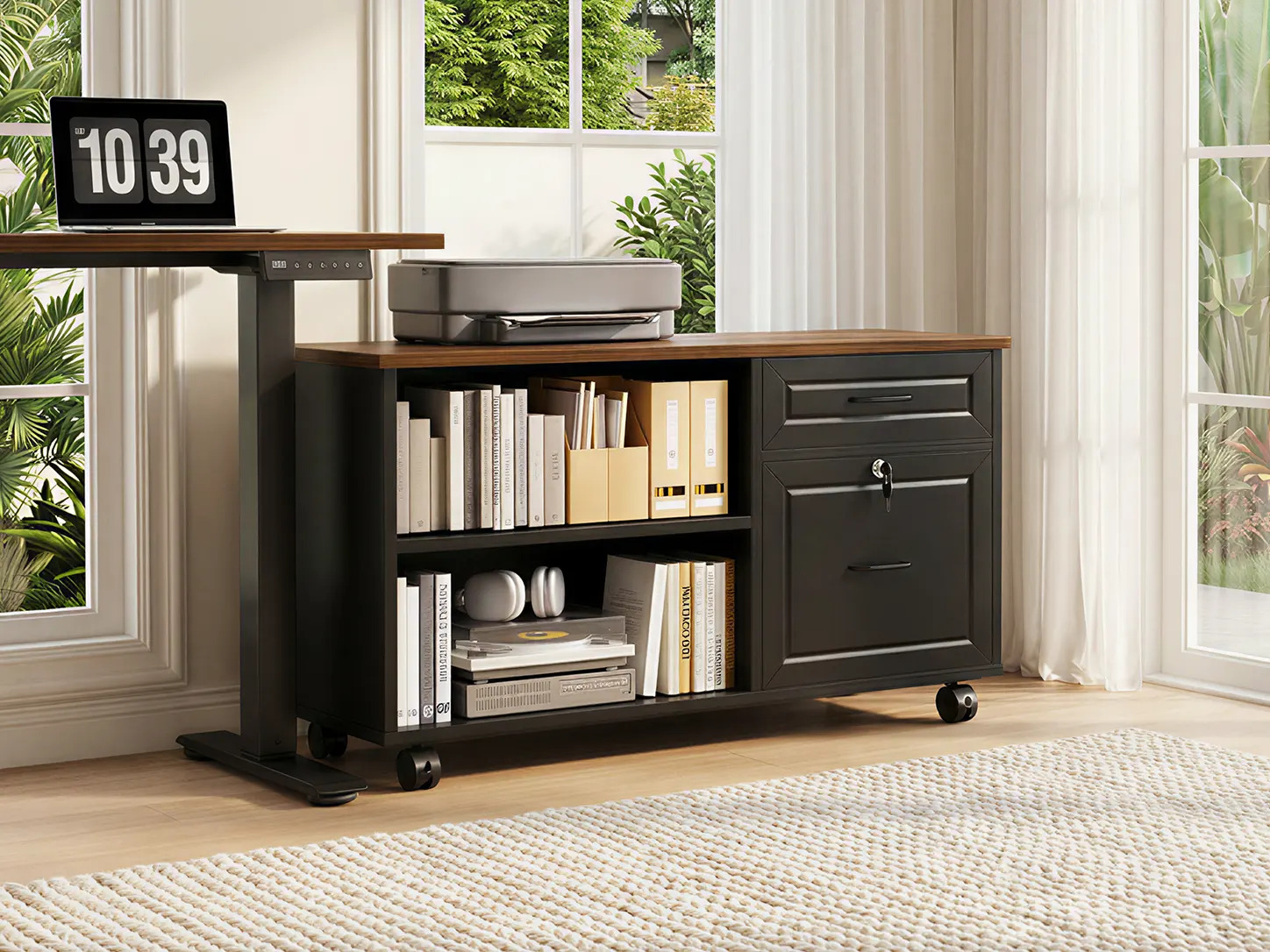
A closer look at the OffiGo mobile file cabinet, combining open shelving, lockable drawers, and a spacious top surface for office equipment.
The buyer guide explains how storage placement, legroom, cable routing, and workflow zones reveal whether a standing desk will work in daily use.
AZUSA, CA, UNITED STATES, September 18, 2026 /EINPresswire.com/ -- A standing desk can add height adjustment while leaving the buyer with a second problem: the surface becomes the default home for chargers, papers, notebooks, docking gear, and the small tools needed to get through a workday. When storage is only treated as an accessory, clutter moves from the desktop to the chair zone, the cable path, or the floor. OffiGo’s new storage-first standing desk guide asks buyers to judge a desk by the way its storage supports sitting, standing, and real task flow—not by drawer count or a staged product photo.
The guide’s central finding is straightforward. There is no single storage layout that suits every worker. A useful standing desk storage design keeps the primary keyboard-and-mouse zone clear, makes the items used most often easy to reach, and preserves the space a seated user needs for knees, feet, and chair movement. Filing-heavy work, a compact corner setup, and a multi-device remote workstation have different requirements. The right purchase starts by identifying that requirement before comparing finishes, motors, or accessory lists.
The full storage-first standing desk guide organizes that decision around a practical question: where will every recurring item live when the desk is in both sitting and standing positions? Buyers who cannot answer that question before ordering are likely to discover the compromises after the desk is assembled.
Guide Findings: Start With the Workload, Not the Feature List
The guide separates desk storage into three roles. The first is the active work zone: monitor, keyboard, mouse, and the paper or device being used now. The second is an adjacent task zone for writing, docking equipment, a printer, or a reference stack. The third is protected storage for files, charging gear, stationery, and items that should not permanently occupy the work surface. A desk can have plenty of cubic capacity and still fail this test if the zones overlap.
This distinction matters because standing desks move. An organizer that works on a fixed desk may create a snag point, an awkward reach, or a loose cable loop once the top changes height. Storage that appears generous in a catalog can also turn into a knee obstruction if it is mounted beneath the main seated position. The guide recommends evaluating the desk in sitting mode first: picture the chair fully pulled in, check foot placement, and account for chair arms and common movement. Only after that should the buyer decide whether drawers, cabinets, shelving, or a separate unit belongs in the plan.
For a laptop-first setup with little paperwork, a light drawer solution or nearby storage can be enough. For daily files, printer supplies, and task materials, deeper side storage tends to make more sense than shallow under-desk drawers. For a multi-device setup, power access and a cable route are part of the storage decision because they determine whether adapters and wires return to the desktop. The guide therefore treats capacity, access, clearance, and cable logic as one system rather than four unrelated specifications.
Guide Findings: What Separates a Useful Layout From a Poorly Built One
The first signal is clearance. A storage component should be located where it does not compete with the user’s knees, feet, or normal chair movement. Center-mounted drawers can be convenient for small accessories, but they deserve a careful seated test when they are deep or sit directly below the primary typing area. Side-positioned or movable storage often protects more freedom because it moves the volume away from the chair path.
The second signal is storage depth matched to the object. Very shallow drawers may hide cables and pens but are not a substitute for a file cabinet, printer shelf, or supply area. Buyers who work with folders should look for a cabinet-style solution; buyers who need chargers, adapters, notebooks, and light supplies may prefer integrated drawers. The point is not to maximize capacity. It is to avoid turning the work surface into overflow storage because the built-in storage is the wrong shape for the workload.
The third signal is whether the desk’s moving parts and organization plan agree. Power outlets, USB ports, and a cable tray are useful only when the cables have a controlled path as the desk moves. Likewise, a return surface on an L-shaped desk can be a valuable secondary zone when it keeps devices or paperwork off the keyboard surface, but it should not force repeated twisting or an overextended reach. A clear relationship between frame, surface, storage, and cable path is more meaningful than a long list of attachments.
The fourth signal is flexibility. A fixed drawer bank can be efficient in a known setup, but a movable cabinet gives a buyer options as rooms, equipment, and work patterns change. Reversible corner layouts similarly help when doors, windows, outlets, or left- and right-hand preferences determine where the return can sit. Buyers should measure the whole footprint, including drawer clearance and access space, instead of relying on a desktop width alone.
Matching the Storage Type to the Scenario
Paper-heavy administrative work puts a premium on real file capacity and a clear main surface. In that scenario, the guide points to an independent side cabinet as a more practical pattern than a bank of small drawers below the typing area. The OffiGo 55-inch L-shaped standing desk with movable file cabinet is presented as an example of this approach: its storage is separate from the main seated zone, allowing the layout to be arranged around files, supplies, or a printer. It has no integrated power called out, so buyers should plan a separate power strip and cable route rather than assume those pieces are included.
Compact corner offices have a different tradeoff. They benefit from a reversible L-shaped layout that divides monitor work from writing or storage access while fitting the return around the room. Here, built-in drawers may be sensible if the buyer can still pull the chair in naturally. The guide advises measuring the approach to the desk, not only the wall-to-wall desktop dimensions, because a drawer opening and a chair need operating space at the same time.
For remote workers running several screens, a laptop, and charging equipment, the organization problem is less about paper and more about devices. An example is the OffiGo 63-inch L-shaped standing desk with drawers and power outlets, which combines four fabric drawers with built-in AC, USB, and Type-C access plus a cable tray. That configuration can help consolidate small daily items and charging points, but its larger L-shaped footprint should be measured carefully in a small room. Fabric drawers are a different choice from rigid furniture-style storage, so buyers should consider the kinds of items they expect to store.
Minimal setups should resist the urge to buy storage simply because it is offered. A desk with less integrated volume can be the better fit when the workflow is a laptop, one monitor, and a few accessories. The guide’s recommendation is to select only enough storage to keep recurring tools off the main work surface. Unused drawers or an oversized cabinet can consume space that would otherwise make sitting, standing, and circulation easier.
A Purchase Check Before the Order Is Placed
The guide recommends a four-part check. First, list the objects that remain in the workspace every day and separate them from occasional supplies. Second, map the seated knee, foot, and chair area before accepting an under-desk storage location. Third, trace the power and cable route with the desktop raised and lowered in mind. Fourth, measure the full operating footprint, including cabinet placement, drawer travel, and the path needed to sit down.
This sequence helps buyers avoid a common mistake: selecting a desk because it looks organized when empty. A storage-centered standing desk should still feel usable after monitors, a keyboard, charging cables, documents, and a chair are in place. If the storage clears the surface but creates a blocked seated position or hanging cables, the organization is only cosmetic.
OffiGo’s guide is intended as a comparison framework rather than a universal ranking. It helps buyers distinguish between a minimalist setup that needs light accessory storage, a filing-oriented workstation that needs capacity away from the knee zone, and a connected workstation that needs drawers plus controlled power and cable access. The decision is strongest when the desk is evaluated as a working system, not a motorized top with storage added later.
OffiGo Workspace Team
OffiGo – Professional Workspace Solutions
Creator@offigo.com
Visit us on social media:
Instagram
YouTube
X
Legal Disclaimer:
EIN Presswire provides this news content "as is" without warranty of any kind. We do not accept any responsibility or liability for the accuracy, content, images, videos, licenses, completeness, legality, or reliability of the information contained in this article. If you have any complaints or copyright issues related to this article, kindly contact the author above.
